A normal afternoon. Four stops, one deadline.
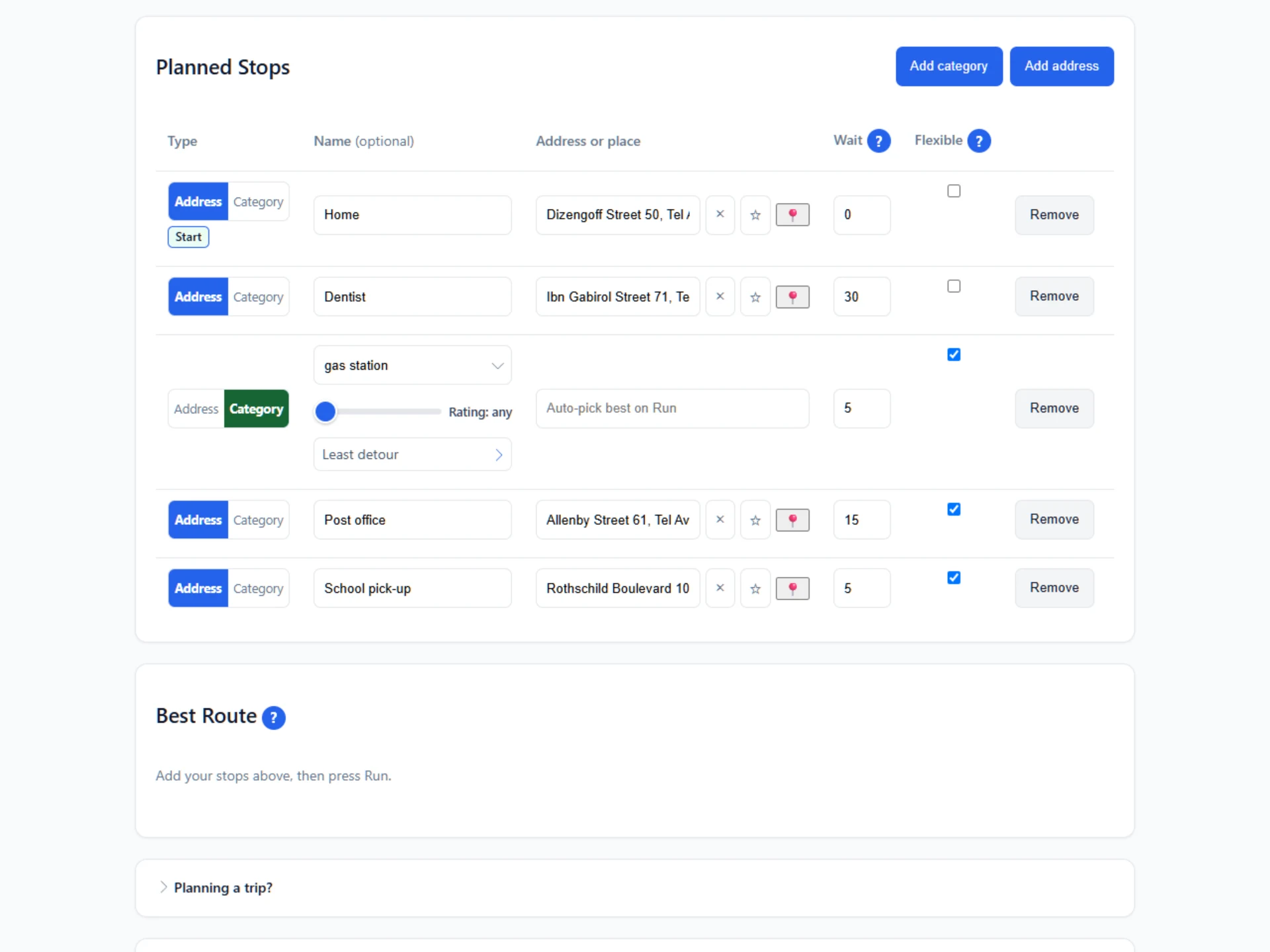
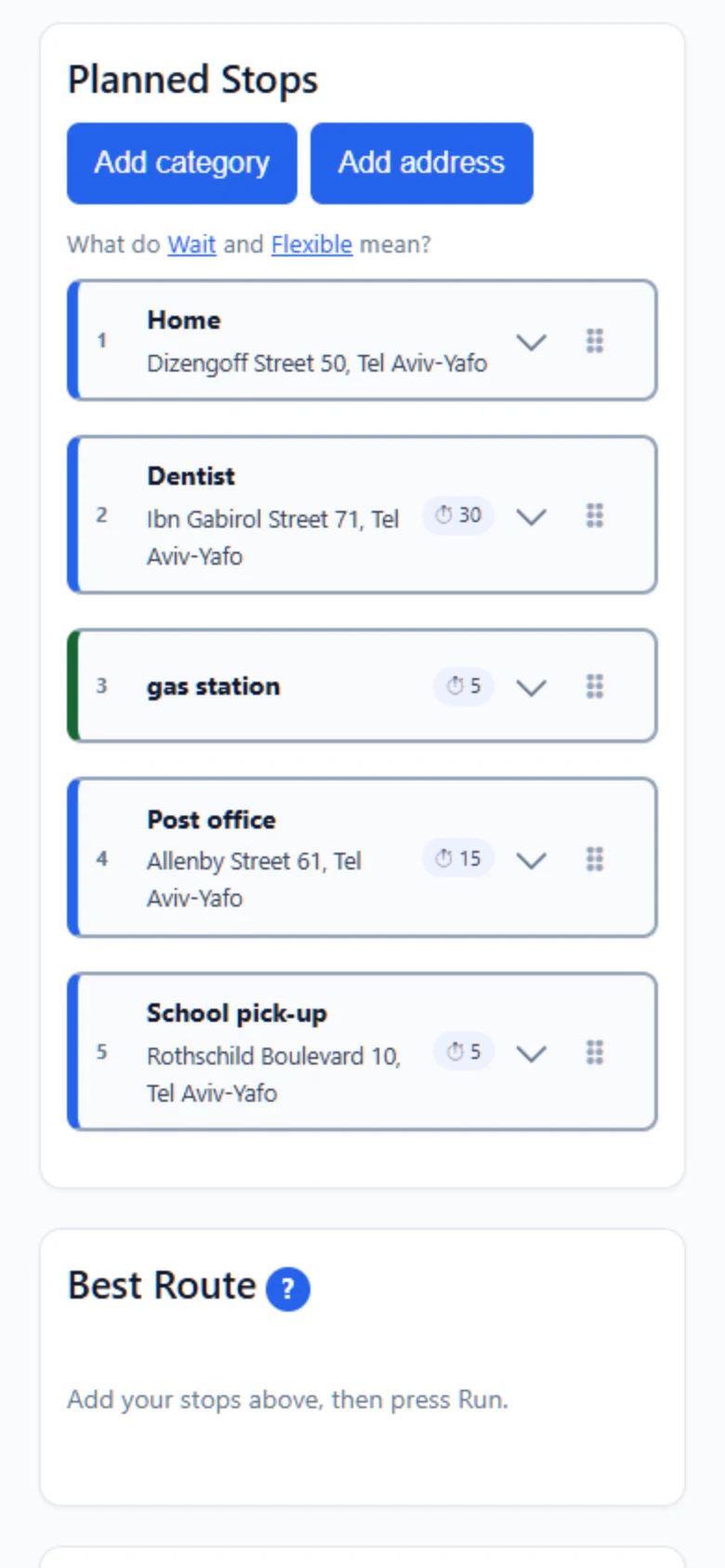
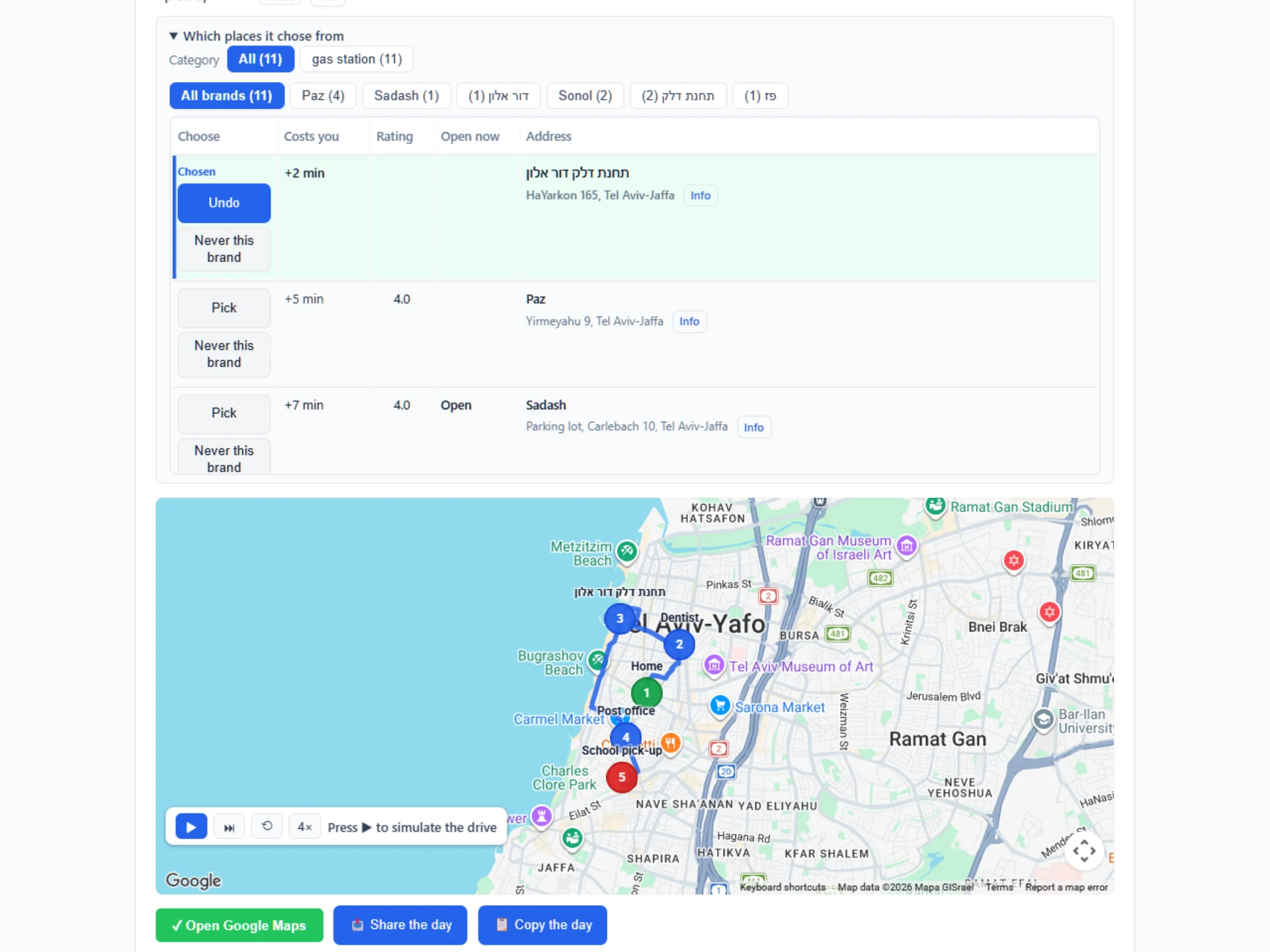
Type the stops, or pick the kind of place: "a gas station", "a coffee". Navido finds what is open when you would get there, picks the one on your way, and works the whole afternoon out as one route.
No sign-up. Three routes a month free. Your stops stay in your browser.
What do I actually do?
- 1
Add your stops
Exact places, or just a type of place. Fix the ones that matter, leave the rest ticked as flexible.
- 2
Set the clock
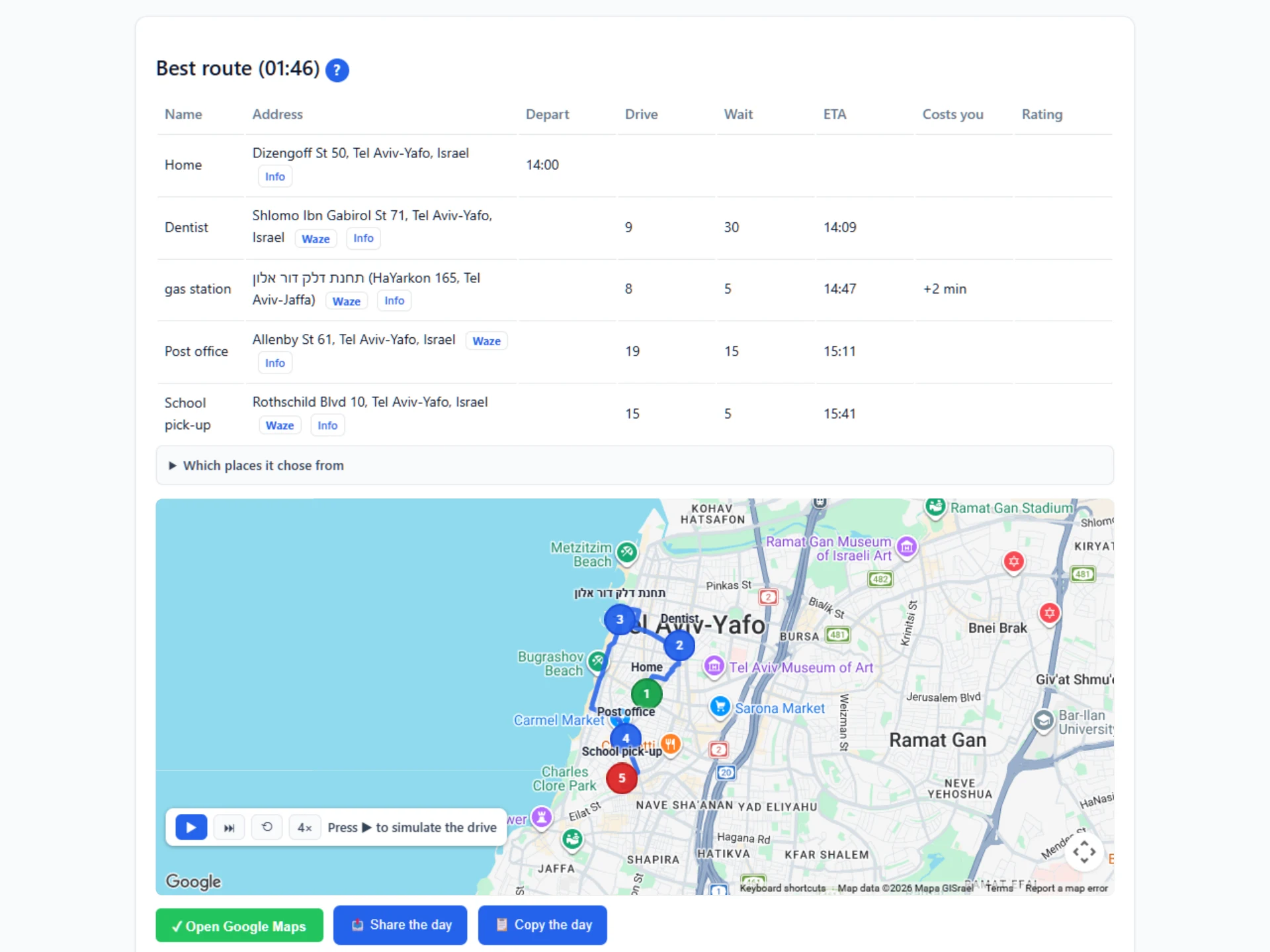
Leave at 09:00, or be at the meeting by 14:00 and it works backwards from there.
- 3
Find candidates
For every category stop: what is open when you would get there, within the brands you allow, and near any stop it could sit between. Each option shows what it would add to your day.
- 4
Plan route
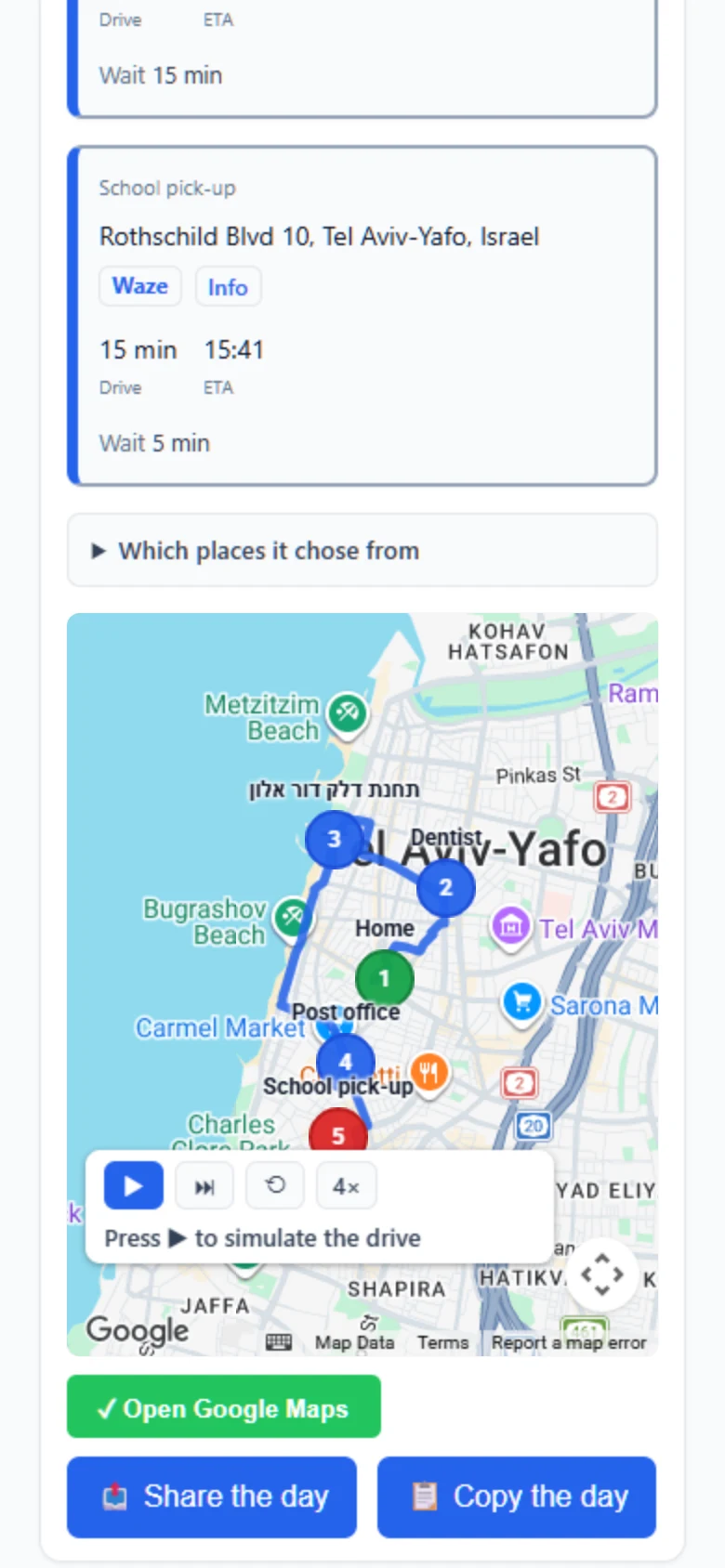
The order, the departure time, the arrival and the distance at every stop, and one Google Maps link to drive it, or Waze stop by stop.
Why not just a maps app?
| The stop | By hand | In Navido |
|---|---|---|
| "A gas station", not a specific one | You search, compare, pick, then check it is open. | Choose "gas station" from the list. It finds what is open when you arrive and picks the one that costs the least detour. |
| The fuel card only works at Dor Alon | You filter by brand yourself, every time, and hope the one you find is on your way. | Say it once for gas stations: only Dor Alon. Nothing else is offered or chosen, on this route or any route after it. |
| You will not eat at one particular chain | You scroll past it again on every search. | Press Never this brand on the result. It is gone from the options, off the map, and out of every route from then on. |
| Five minutes at the gas station, twenty at the pharmacy | Not counted. Every arrival after the first is wrong. | Each stop carries its minutes. The arrival times include them. |
| Be at the meeting by 14:00 | With one stop, a maps app tells you. With four stops and the minutes at each, you guess and hope. | Choose "Arrive by". It counts back through every stop and the minutes you spend there, and tells you when to leave. |
| The meeting moves an hour | Start again. | Change the time, press “Plan route”. New times updated. |
| Which stops may move | No stops move. You drag them into the order yourself. | Pin the school run and the meeting, leave the rest ticked as flexible, and only those get reordered. |
| Eleven stops | A maps app stops at ten. | Twenty-five on Plus. Ninety-nine on Pro. |
| The driving itself | This is what it is for, and it is very good at it. | Navido does not do it. It hands the finished day to your maps app with one link, and you drive as normal. |
| If it gets it wrong | Same as now. | Every stop is editable, the order can be pinned, and the final link opens in your own maps app, so you can always overrule it. |
What does it cost?
Free
- 3 routes a month, or 10 on your own Google key
- Up to 8 stops
- One category stop per route
- Re-planning a day you already ran is free
Plus
- 15 routes a month, or 50 on your own Google key
- Up to 25 stops
- As many category stops as you like
- Nothing to set up, and re-planning a day is free
Pro
- 100 routes a month, or no limit on your own Google key
- Up to 99 stops on one route
- For anyone who plans a full day, every day
- Nothing to set up
Try it with your own afternoon.
Two addresses and one "gas station" is enough to see it work. Nothing to install, nothing to sign.
Open Navido, freePlanning a trip instead? A city you do not know, on foot, for four days. Navido for a trip